Settings User Guide
Settings manages the system services and hardware exposed by a LILYGO UI device.
Before you start
- Open Settings from Launcher.
- Network writes use NetworkManager and the device administrator policy.
- Cellular normally needs access to
/dev/ttyACM0. - Battery and haptics need their board drivers.
- A physical keyboard uses
Tab,Shift+Tab, arrows, andEnter.
Home and network
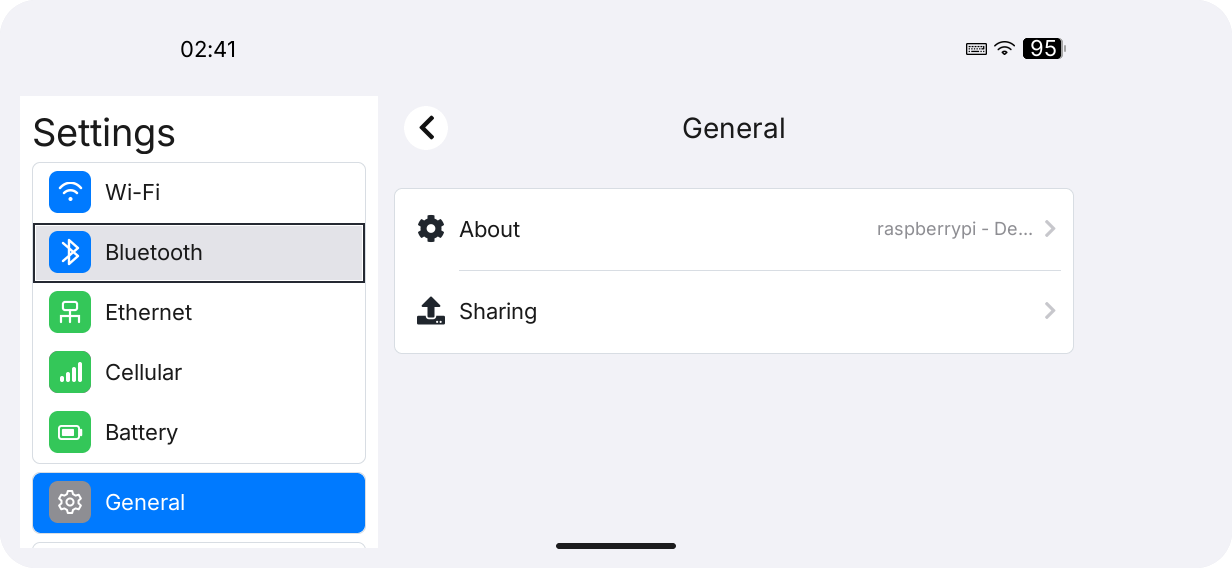
The home page shows Wi-Fi, Bluetooth, Ethernet, Cellular, Battery, General, and Keyboard. In landscape, choose a category in the sidebar; in portrait, open a row and use the page back control.
In Wi-Fi, enable the switch, choose a network under OTHER NETWORKS, enter the password in Join Network, and press Join. Tap a known network to reconnect or inspect IP, DNS, and hardware details. Settings does not save passwords itself; NetworkManager profiles remain until forgotten.
In Ethernet, inspect link, IP, gateway, DNS, MAC, speed, duplex, and MTU. Choose DHCP or Manual, fill IP Address, Subnet Mask, Gateway, and DNS when manual, then press Save. Values are validated before applying.
Bluetooth and Cellular
In Bluetooth, enable the radio and wait for discovery. Paired devices appear under MY DEVICES; new devices appear under OTHER DEVICES and can be connected or disconnected.
In Cellular, inspect SIM, registration, operator, technology, signal, and counters. The page talks directly to the nRF9151 SLM over 115200 8N1, not ModemManager. Close other serial tools before opening it.
Battery, Keyboard, Sharing
Battery reads fuel-gauge telemetry and may expose capacity calibration and charging controls when board support exists. In Keyboard, adjust vibration between Off and Strong; writable hardware stores keyboard_feedback_strength.
Open General → Sharing for Remote Login (SSH) and Serial Console. Serial changes show Restart Required; choose Restart Now or Restart Later.
Turn on Remote Login and wait for Remote Login: On to connect from a computer over SSH. A successful change takes effect immediately and enables SSH at boot. See Enable SSH remote login for the complete steps to find the IP, connect, authenticate, disable the service, and troubleshoot problems.
Settings reads NetworkManager, BlueZ, /sys/class/power_supply, and board serial/sysfs interfaces. Authorization rules are under /etc/sudoers.d/; the default modem lock is /tmp/lilygo_nrf9151_uart.lock.
| Symptom | Check |
|---|---|
| Wi-Fi empty | Wi-Fi power, NetworkManager, and radio availability. |
| Ethernet save fails | Cable, profile, and valid IPv4 values. |
| Bluetooth unavailable | BlueZ and hardware radio. |
| Cellular unavailable | /dev/ttyACM0 access and competing serial sessions. |
| Battery missing | /sys/class/power_supply and driver support. |
| Serial change inactive | Restart after Restart Now or later. |