Calculator User Guide
Calculator is a touch-friendly scientific calculator. Portrait shows a basic keypad; landscape adds scientific functions.
Basic calculations
Tap digits and a decimal point, choose +, -, *, /, %, or ^, add parentheses, then press =. AC clears a new expression and becomes C while editing. Backspace/Delete erases input. Standard operator precedence is used; division by zero, invalid domains, and overflow display Error.
Scientific controls
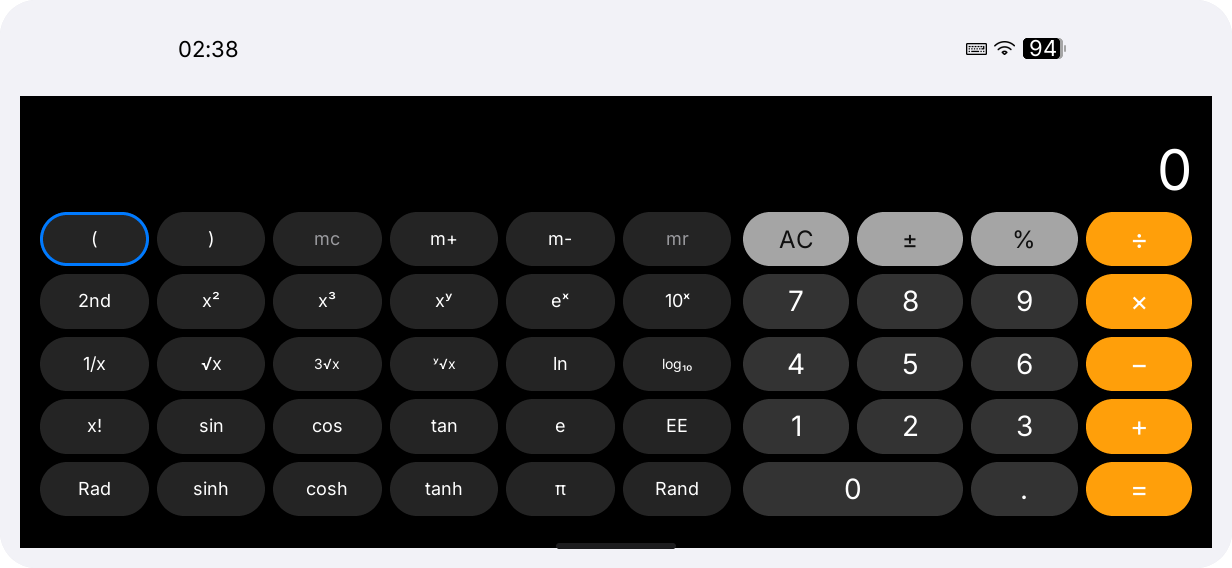
Landscape exposes 2nd, sin, cos, tan, sinh, cosh, tanh, log, ln, powers, roots, factorial, absolute value, e, pi, Rand, and EE. 2nd selects inverse functions. Rad / Deg selects the angle unit. Expression, mode, and memory survive rotation.
Memory and keyboard
Use mc to clear, m+ to add, m- to subtract, and mr to recall. Memory belongs to the current process and is not a system clipboard. The simulator and TCA8418 keyboard support digits, arithmetic, parentheses, =, C, and Backspace/Delete. Arrows move focus, Tab advances, and Enter activates.
Calculator keeps expression, angle mode, and memory in memory only; it has no history page or persistent calculation log.
| Symptom | Check |
|---|---|
Error result | Division, function domain, parentheses, and overflow. |
| Wrong trigonometry | Check Rad / Deg. |
| Key does nothing | Move focus with Tab or use touch. |
| Keypad is cramped | Rotate to landscape. |
Additional notes
The display state survives orientation changes. Rand generates a value when pressed; it is not a saved sequence. Undefined scientific expressions are reported as Error. There is no unit conversion, graphing, history, or export page, and Calculator has no special clipboard action.